Showing posts with label Apple. Show all posts

Wednesday, August 10, 2016

Apple Releases iOS 10 Beta 5, fine here what's new

iOS 10 Beta 5
iOS 10 Beta 5
Apple released iOS 10 beta 5 for its developer preview. Users who are on the public beta will also see an update, and it is the same version. But the change log will seem smaller than the usual and this is all because the final version of the software is expected to roll out somewhere in September at the launch of Apple’s next iPhone.

The new update again arrives as an over-the-air (OTA) download for those who have been on the previous betas or who have either of the two configuration files (developer or public tester) available on their smartphones.

While the new update is still a bit too buggy, there are some improvements over the last one, even though they are not too many in number.

If you have been on the beta for a while and have been fidgeting with the iOS Photos app, you will have noticed the new facial recognition feature that groups images based on faces. Well, if you have arranged everything on your iPhone in a long list of groups, it’s all going away. This is because the new update will scan through your folders once again and rearrange whatever is currently available.

If you noticed that your iPhone 6s Smart Battery case was misbehaving after the last update, this has now been fixed. The case that is available for the iPhone 6 and 6s should now work properly.

Bored of the iOS 9 lock sound when you lock the phone? Well, there is finally something new in iOS 10 beta 5 for you. The new lock sound seems to have moved on from click to sound of door closing.

The output icon seen in the Control Center gets an update as well. The same goes for the Music app, and other locations in iOS, that seem to be slightly tweaked.

The date now appears in the swipe to the right from the home screen and even in the notifications panel (swipe right in there again).

All-in-all it’s just some minor fine-tuning taking place in iOS 10 beta 5 compared to what we noticed in the earlier betas. While it iOS 10 may be a bit annoying in the notifications area and the Control Center for some, it may seem like a good move that spaces things out for others. Like it or hate it, the bolder new look is here to stay.

Tuesday, March 22, 2016

Apple’s 6 most important announcements from today’s big event


There are two big events that hardcore Apple fans look forward to most each year: WWDC and the September iPhone event. Today’s “Let us loop you in” press conference was neither. While there’s no question that Apple’s first big event of 2016 was less exciting than what we’re used to with Apple, it was still quite a show and we came away with a number of new products to check out.

In this post, we’ve rounded up all of the most important announcements from today’s Apple event so you can read about them in one place.

Liam


Liam isn’t a product that will make its way to people’s homes anytime soon, but it’s still one of the coolest things Apple showed off on stage on Monday.

What is Liam? It’s a special robot that Apple developed to disassemble old iPhones that can’t be revived. Liam pulls the phones apart and separates all of the components that can be reused like screws. It also pulls out components made of recyclable materials like gold — yes, there’s gold in your iPhone — and separates them out to be repurposed

Apple Watch news


Apple said that about a third of Apple Watch owners change their bands often, so it announced a bunch of new colors for the Sport band and new leather band colors. Apple also announced a new line of nylon straps.

But the biggest news might be a price drop: the Apple Watch Sport now starts at just $299.

Apple TV news

Apple CEO Tim Cook said that there are already more than 5,000 apps for the new fourth-generation Apple TV, and he gave a whole bunch of examples on stage. More importantly, Cook announced some sweet new features that will be added to the new Apple TV in Apple’s new tvOS update.

The new version of the software will include folder support and support for dictation, which will allow you to perform searches or even enter usernames and passwords using Siri.

The new version of tvOS will be released today, and it’ll be a free upgrade.

iPhone SE


First and foremost, Apple announced a new iPhone on Monday called the iPhone SE.
The iPhone lineup is Apple’s big moneymaker and it just received its first new addition of 2016. While the SE certainly isn’t the flagship iPhone 7 and iPhone 7 Plus we’re all anxiously awaiting, it is a smart move on Apple’s part.

Apple’s new iPhone SE features a familiar design and a familiar screen size: 4 inches. That’s right, iPhone users who are still holding onto their old iPhone 5 or iPhone 5s handsets finally have a new iPhone to upgrade to if they want the latest and greatest Apple features without buying a larger phone that doesn’t fit in the hand as comfortably.

Incredibly, tons of people are also still buying 4-inch iPhones — more than 30 million were sold in 2015 alone.

Apple’s A9 chip powers the iPhone SE, which is the same chip that powers the iPhone 6s and iPhone 6s Plus. That means the new 4-inch iPhone will be 2 times faster than the iPhone 5s with 3 times better graphics performance.

The iPhone SE will also sport better battery life than the iPhone 5s, and it includes the same 12-megapixel camera as the 6s series. Live photos will also be supported, though the iPhone SE screen doesn’t support 3D Touch.

Apple’s new iPhone SE will start at just $399 and it launches next week on March 31st. Preorders will open on Thursday, March 24th.

iOS 9.3

Night Shift… new 3D Touch shortcuts… a completely revamped Notes app… big Apple News updates including a top stories section and editor’s picks… Car Play enhancements… and that’s only the beginning.

iOS 9.3 will be available for compatible devices for free beginning today.

iPad Pro


Apple’s iPads aren’t anywhere near as exciting as its iPhones these days, but that might change at least a little bit when people check out Apple’s newest iPad: the iPad Pro. That’s right, it has the same name as the larger 12.9-inch model.

The 9.7-inch iPad is the tablet that started it all, spawning a totally new market that other consumer electronics companies like Samsung and Amazon would go on to attack as well. Apple was the first to create this new generation of light-duty consumer tablets though, and it’s still the best.

The new 9.7-inch model weighs less than 1 lb and it features specs that are in line with the larger 12.9-inch model. It also has some big upgrades though, including Apple’s new True Tone display technology which adjusts the tones of the display based on the lighting environment in which it’s used. There’s also a four-speaker speaker system that is adaptive based on how you’re holding the tablet.

Apple’s new 9.7-inch iPad Pro starts at $599 for the Wi-Fi model with 32GB of storage, and it will top out at 256GB of storage. It will also come in Apple’s new rose gold color in addition to silver and space gray, and it begins shipping on March 31st. Preorder availability kicks off on Thursday, March 24th.

Monday, January 11, 2016

Apple may launch new app that will allow iOS users to 'move to Android'

Apple is said to be working on a tool that will allow iPhone users to more easily switch to Android. As per a media report, the change of heart comes as European carriers continue to put pressure on the Cupertino-based company.

Apple has agreed to develop a tool that will allow users from the iOS camp to migrate to Google's Android haven, reports Telegraph citing an industry source. The iOS app will allow users to transfer data such as contacts, music, and photos from their iOS device to Android.

The change of heart isn't apparently a result of goodwill on Apple's end, the report adds. Instead, it is because major European telecom operators believe that the technical difficulties in transferring data from an iPhone makes it hard for users to switch to Android, and as a result, only a tiny fraction of customers ever make the switch.

The iPhone maker is under pressure from mobile operators to make the migration process easier. The carriers, the report adds, feel that Apple's refusal to provide its users with an easier way to switch to Android has put them on the disadvantageous side, reducing their negotiation power with Apple.

To recall, Apple released an app called Move to iOS last year which allowed Android users to easily transfer their data to an iPhone. The company's first Android app didn't receive the most welcoming reception with thousands of users plastering a one-star rating against the app.

While it isn't known how many iPhone users switch to Android, as per Apple, around 30 percent of the record number of iPhone sold in the fourth quarter last year were users who previously owned an Android handset.

At this point it is hard to digest that Apple would ever make an app or tool to allow users to ditch iPhone. The company has long tried to keep its users within the ecosystem. It will be interesting to see if Apple ever releases the purported app, and in case it does, what it has to say about the move.

Saturday, December 05, 2015

Best iPhone accessories under Rs. 5,000 to buy in India


ust like with great power comes great responsibility, with great smartphones comes awesome accessories. Yes, I stole that from Spiderman just to make a case in point, but its true. The accessories MARKET is one of the best places to look if you are thinking of enhancing your smartphone experience. In this article, I will introduce you to some great and handy iPhone accessories that you can purchase, all for less than Rs. 5,000. That's usually my budget for iPhone accessories and a lot can be bought in Rs. 5,000. While most iPhone users are aware of the usual selfie sticks, power banks and phone cases, here in this list where you will find some cool stuff that can increase your iPhones capabilities and functionalities. So let's kick things off and see what we have in store for you

iPhone Cable Protector                                     


All iPhone users know how delicate their charging wires are. I for one, have gone through 3 charging cables in 1.5 years of using my iPhone 6. The lightning cable starts tearing at the base of the connector and even if the cable continues to work, rest assured, its not going to do so for long, therefore you need a cable protector. These cable protectors can be clipped to the base of the connectors on both ends of the wire, preventing the it from bending or tearing. It's not so difficult to source them either and they are usually priced anywhere between Rs. 100 to Rs. 200 for a double pack. You can buy lightning cable protectors from any of the ecommerce portals out there. They are usually pretty easy to find and add a little bit ouf colour to the otherwise stark white cables. 


iOS USB Flash drive 

While the iPhone also comes with 128GB of storage, not all of us can afford Apple's hefty price tags. So what do you do if you run out of storage on your 16GB iPhone or want more from than the high-end 128GB version? Well, worry not. You can go ahead and buy an iOS USB Flash drive. On one end, the flash drive has a lightning connector and on the other a USB connector. There are plenty of options available in the MARKET for such drives. The most popular one being the SanDisk iXpand which comes for a price of Rs 3,500 approximately. There's also the Leef iBRIDGE Mobile memory iOS flash drive for Rs. 4,380. When attached, these tiny devices backup your camera roll automatically, freeing up space on your iPhone. They also backup your contacts and any other media you would like to get rid of from your iPhone. You can also use them as standalone USB flash drives to store videos and pictures from your computer or laptop, which you can later view on your iOS devices.

Lightning pin to Micros USB connector            


Most iPhone users have a common peeve. Whenever we leave our chargers at home, unlike Android users, we can never find a spare charger. There have been many times I have found myself at a friends place with atleast 10 micro USB chargers lying around, but no iPhone lightning cable. Well, there's a tiny little connector that can come to your rescue here. The lightning pin to Micro USB adapter allows you to plug in your iPhone to any Micro USB charging cable and voila! you have yourself a charger almost everywhere. The original Apple lightning to Micro USB adapter will cost you about $20 (Rs. 1336), but much cheaper options are also available in the MARKET, with prices starting from Rs. 50 and going upto Rs. 200. The only problem with these non-Apple adapters is that you can never really know how long they will last or if they are already damaged on purchase. Your best bet is to shell out a little more and buy the original.


Lens Kits 

Just like a DSLR, these days you can buy different clip-on lenses for your smartphones. Each lens kit is specifically designed for particular smartphones because the ring at the back of these lenses need to fit correctely on top of the phone's camera lens. So, make sure you purchase an iPhone specific lens kit. These kits come with tiny clip-on lenses such as a fish-eye lens, a macro lens and a wide angle lens. Using various lenses, you can create great effects for your pictures without investing in an expensive camera. Although the quality of these lenses cannot be compared to professional lenses, they are still quite handy for those who use their smartphones as a primary device for clicking pictures. Priced anywhere between Rs, 1,800 to Rs. 2,500, these lens kits usually come in packs of 3.  I am thinking wide angle selfies. what about you?

Unidirectional Multimedia Mics 

If you have a podcast or if you are someone you takes a lot of interviews or even if you are one who loves recording voice memos, you would know that background noise is the most annoying thing in the world. Background noise can sometimes ruin your voice recordings and that's just not done. Presenting the unidirectional mic. A lot of companies make these and they can even cost as high as Rs. 10,000 for extremely professional grade audio recording mics, but if you want something small and portable, you can buy these mics starting from Rs. 3,000 onwards. The unidirectional nature of these mics minimises the background sounds, making it ideal for recording a single source. These mics usually come with a stereo mini-jack headphone output enabling real-time monitoring of what is being recorded using headphones or speakers. Some of them also feature sensitivity settings, allowing users to record up-close or distant voices.

Magnetic Car Mount 

Yes, there are a lot of car mounts out there in the universe, but I personally, hate something sticking out of the windshield of my car or something sticking on the dashboard. Hence, the magnetic car mount for the iPhone. Again, you can buy them from the various companies that manufacture these little holders, but the good ones will cost you somewhere between Rs. 800 to Rs. 1,500. These mounts have a built-in magnet which you can stick your smartphone on. The clip stand allows it to attach itself to any flat surface, best to clip it on the airvent of your car's AC. The stand uses no glue, hence you get to avoid those ugly adhesive marks. For comfort, you can also mount your phone in any orientation you prefer. Easy Peasy.

Friday, November 27, 2015

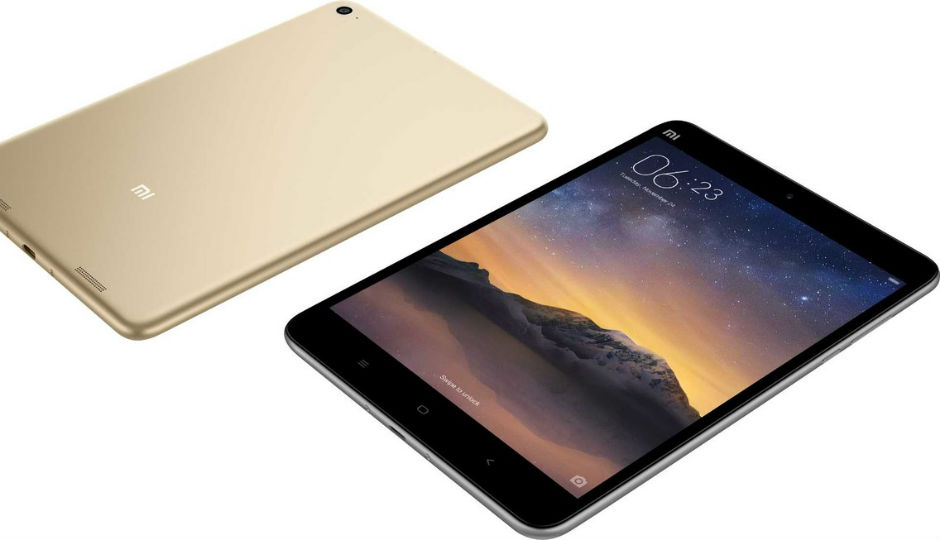
Tablet Battle: Xiaomi Mi Pad 2 versus iPad Mini 4


Chinese tech giant, Xiaomi, launched three products yesterday – the Mi Pad 2, Redmi Note 3 and the Mi Air Purifier. We aren’t sure if the Mi Air Purifier will be launched in India, but the other two may be launched. In the past one year, tablets have seen a steady decline in sales, and tablet-makers like Apple, Samsung, Microsoft and more are trying to innovate, to revive the market.

Xiaomi's first generation tablet, the Mi Pad, was a great offering in India. Despite its plastic build, it had great specifications, a good display, and was a value for money proposition. Now in its second generation, the device is available in two variants – Windows and Android. The Windows version makes sense, since Windows 10 is an OS that works well on tablets, laptops and hybrids. Borrowing more from the design of Apple’s iPad Mini, the new Mi Pad 2 has an all-metal body. Coming to the price of the tablet, the 16GB Android variant will be priced at RMB 999 (Rs. 10,400 approx.), and the 64GB variant at RMB 1299 (Rs. 13,500 approx). The Android variants of the tablet go on sale in China, on November 27. The Windows 10 variant of this tablet will go on sale in December, and the 64GB variant will be priced at RMB 1299 (Rs. 13,500 approx).

Moving on to the iPad Mini 4, it is one of the best small-screen tablets available in the market, with the perfect combination of hardware and software. Here is a quick look at the specifications of the Xiaomi Mi Pad 2, when compared to the iPad mini 4. We have also thrown in the first generation Mi Pad, to get a perspective of how Xiaomi’s tablet has evolved.

ParticularsXiaomi Mi PadXiaomi Mi Pad 2iPad Mini 4
Thickness8.5mm7mm6.1mm
Weight360 grams322 grams299 grams
Display Size7.9-inch7.9-inch7.9-inch
Display TypeIPS LCDIPS LCDLED backlit IPS LCD
Display Resolution1536 x 2048 pixels1536 x 2048 pixels 1536 x 2048 pixels 
OSAndroid OS, v4.4.4 (KitKat)Android/Windows (64GB Only)iOS 9
ChipsetNvidia Tegra K1Intel Atom X5-Z8500Apple A8
CPUQuad-core 2.2 GHzQuad-core 2.24 GHzDual-core 1.5 GHz
RAM2GB2GB2GB
Built-in storage16/64 GB16/64 GB16/64/128 GB
Expandable storagemicroSD, up to 128 GBmicroSD, up to 128 GBNA
Rear camera8MP8MP8MP
Front camera5MP5MP1.2MP
Battery6700mAh6190mAh5124mAh
PriceRs. 12,999 approx.RMB 999 (Rs. 10,400 approx.) for 16GBStarts at Rs. 28,900 for the 16GB Wi-Fi only

Compared to its predecessor, the Mi Pad 2 has become slimmer and lighter, but display size and resolution remains the same. All the three tablets here have the same display size and resolution. The iPad mini 4 is the lightest and thinnest of the three. Both the Mi Pads offer expandable storage, whereas the iPad Mini 4 is limited to its built-in storage. How the Mi Pad 2 fares in real world usage is something we will comment on, later.

Sunday, November 22, 2015

Forget Apps: By 2020, This Technology Will Run Your Smartphone

Smartphone users love their apps. According to Nielsen, U.S. consumers access 26.7 apps and spend an average of 37.5 hours in them each month.

But a recent report from research company Gartner predicts that by 2020, nearly half of our mobile interactions will be done through virtual personal assistants, like Apple's (NASDAQ:AAPL) Siri, Microsoft's (NASDAQ:MSFT) Cortana, and Alphabet's (NASDAQ:GOOG) (NASDAQ:GOOGL) Google Now.

Here's what Gartner had to say:

By 2020, smart agents will facilitate 40 percent of mobile interactions, and the postapp era will begin to dominate. Smart agent technologies, in the form of virtual personal assistants (VPAs) and other agents, will monitor user content and behavior in conjunction with cloud-hosted neural networks to build and maintain data models from which the technology will draw inferences about people, content and contexts. Based on these information-gathering and model-building efforts, VPAs can predict users' needs, build trust and ultimately act autonomously on the user's behalf.

Having our phones predict the exact information that we need, when we need it, is already a theme major tech companies have implemented into smartphones to a small degree. But each is making big moves to expand their VPAs, too.

What Apple's doing
Last year, Apple made headlines when it was discovered that the company was diving further into neural networks (a type of machine learning where computers use algorithms to process information in similar ways that our brains do) to make Siri's voice recognition much smarter.


More recently, though, Apple's made a handful of acquisitions that could beef up Siri once again -- and lead to Gartner's prediction of smarter VPAs. In October, Apple purchased natural-language speech recognition company VocalIQ, which made a form of artificial intelligence (AI) that actively learns from conversations, as opposed to just listening. The technology could help boost Siri's ability to understand the meaning behind what someone is saying, instead of simply what a person is saying.

Apple also recently picked up the deep-learning company Perceptio, which built a system that allows AI to run in apps without having to collect massive amounts of user data. Perceptio was working on technology that helped AI classify photos without being told what they are. But the technology could be applied to other areas where a phone needs to learn something new without specifically being told.

Aside from its acquisitions, Apple has also made several recent hires in artificial intelligence as well, including a deep-learning expert from NVIDIA. Of course, not all of Apple's AI moves are geared toward Siri, but considering the iPhone accounts for 63% of Apple's revenue, you can bet the company is working toward ensuring its phones outsmart other VPAs.

What Alphabet's doing

Alphabet's Google already implements neural net processing in some of its apps, like Google Translate. This allows the app to translate images of a language instantaneously into another language, all without having to access the Internet for information.


Similarly, the Alphabet's Google Photos app uses a deep-learning system called TensorFlow to categorize images in the app (like pictures of beaches), so users can find images they're looking for much faster.

But Google isn't just interested in deep learning and neural networks to power Photos and Translate: The company also uses its AI systems to become the best predictor of what users want as well. Google relies heavily on all of the information from its other apps, Gmail, and online searches, and then offers up predictive information through Google Now.

As an article in SearchEngineLand recently mentioned, "Google Now is fully cloud-based. Whatever it learns on any device or in any way you interact with Google all goes into a common profile in the cloud." 

So, Alphabet's Google is already using cloud-based information to power Google Now, and as the company dives into more cloud-based neural networking, you can be sure Google Now's predictions will get even better.

What Microsoft's doing

Microsoft has already tapped into neural networking with its Skype app, which can help translate different languages in real-time conversations. And Microsoft's virtual assistant, Cortana, uses natural networks for speech recognition as well.

But the company continues to expand its AI focus, and earlier this year, Microsoft Research revealed that its deep-learning system was able to identify a set of images, within 1,000 possible categories, better than humans. Microsoft's deep learning system had an error rate of 4.94%, while humans had an error rate of 5.1%.

As with Apple and Alphabet, Microsoft isn't expanding its use of neural networks and deep learning just so users can have better photo classification. Eventually, the company wants to use these systems to infer what information users want from their mobile devices.

Microsoft's Cortana uses cloud-based information to help it understand what users are asking, and pulls information from Bing searches, emails, and Web-browsing history to help it understand what users want. As more of Microsoft Research's findings are put to use with Cortana, the company will be able to expand its VPA's ability to better predict what users want.

No clear winner yet

It's hard to say which platform is expanding its neural-networking expertise better at this point. Right now, virtual personal assistants still feel a bit like a nice-to-have feature, but they aren't critical in helping users get things accomplished throughout the day. Still, if these tech companies continue to pursue neural processing, deep learning, and other AI systems, then they'll likely be one of the most important aspects of our future devices.

Thursday, November 19, 2015

10 Tips to Cut Down Your Mobile Data Bill


Is your smartphone running up huge bills on data usage and throwing your budget out of control? We've all been there, and here are a few simple tips that you can follow to save some money. These are ideas we've tried out ourselves, and can tell you that they work. What's more, you won't just save money by reducing 3G or 4G mobile data usage, but will also use less of our battery as a bonus.

1) Schedule app updates over Wi-Fi 

When app updates happen over your cellular data, even something as simple as loading a webpage can become slow. The continued mobile data use also heats up your phone and eats up your battery. There's an easy way to prevent this from happening though, on both Android and iOS. Updating apps on Wi-Fi can help lower your mobile data usage, and make a big impact on overall bandwidth savings. Check if you have this setting enabled.


On Android, open the Play Store app, then tap the menu button in the top left. Here, tap on Settings. Under "General," tap on Auto-update apps, and select Auto-update apps over Wi-Fi only.

On iOS, tap on Settings > iTunes & App Store, then scroll down and turn off the Use Mobile Data toggle to make your phone does automatic updates on Wi-Fi only.

2) Disable Wi-Fi Assist

Disabling Wi-Fi Assist, a new iOS 9 setting that's enabled by default, can help save cellular bandwidth too. Wi-Fi Assist automatically switches to cellular in the event of a poor Wi-Fi connection. You can disable this feature in Settings > Cellular and then tapping on Wi-Fi Assist.


3) Enable data compression while browsing

Chrome's Data Saver feature, available on almost every major computing platform, uses Google's servers to reduce the amount of data that gets downloaded when you visit a site. Data savings are dependent on the type of content you're accessing. Google claims that you can save up to 50 percent of data by enabling the feature, by tapping on Settings > Data Saver.


Data compression features are also built into Opera's suite of web browsers - Opera and Opera Mini. In Opera, you can adjust the image quality and enable video compression in the Settings tab, while Opera Mini 11 gives the user a choice between High or Extreme compression modes. UC Browser also introduced data compression this year. For more details on this setting, visit the help docs hosted on the websites of Opera, Chrome, and UC Browser.

4) Enable system-wide data compression using Opera Max

The previous tip will help you save data while browsing, but what about other popular apps? Opera's data management app on Android compresses videos, photos and media over mobile and Wi-Fi networks across most apps, and claims bandwidth savings of up to 50 percent. The app also provides an App Management option that lets the user control background app usage over Wi-Fi or cellular bandwidth.


5) Disable media auto-download for WhatsApp

WhatsApp can turn into a major bandwidth hog with auto-download turned on. Fortunately, you can toggle the settings to disable auto-download for images over cellular or Wi-Fi for audio and videos sent by your contacts and groups.


To do this, just launch the app, then go to Menu > Settings > Chats and calls > Media auto-download. There tap on When using mobile data and de-select all the options, and tap OK to save your settings.

6) Switch mail sync to manual

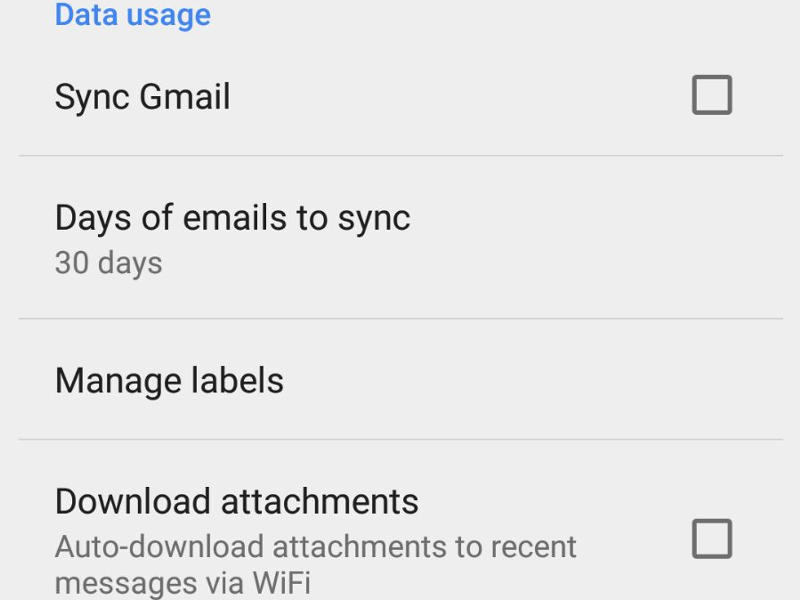
If heavy email attachments are bogging your phone down, Gmail's app on Android allows you to switch Sync off. The settings, accessed in Menu > Settings in the Gmail app, also lets you set the time period for data that needs to be synced.


7) Disable Cellular Data on an app-wise basis

In iOS, you can turn off Push Notifications in Settings > Notifications, and turn off cellular data off for any app in Settings > Mobile data.


On Android, you can disable background data by tapping on Settings > Mobile Data, then tap on the app and tick Restrict background data. Enabling the setting ensures that the apps won't consume any data unless you are actively using them.

8) Use Greenify, if you don't have Android M


App Standby, a new feature only available on Android Marshmallow devices prevents seldom used apps from using your network data, sending you push notifications and draining your battery. This setting is enabled by default on Android M devices, those on an earlier version can install Greenify, which lets you send misbehaving apps on hibernation. 


9) Disable auto-play on Facebook and Twitter 


If you're a heavy social media user, disabling auto-play of videos on both these platforms can give your bandwidth some respite. We've published an article detailing how you can do that for Facebook, covering iOS and Android.


For Twitter, the setting can be accessed from menu on the top right of the screen. Tap on Settings > General > Video autoplay, and tap on choose the Never play videos automatically option. On iOS, this setting is available in the Settings menu for Twitter. Just Tap on Video autoplay > Never play videos automatically to disable it.

10) Cache Google Maps for offline use


Google Maps lets you save a map area the size of 120,000 square kilometers on your smartphone, with navigation functionality. This feature is available on both iOS and Android, and was rolled out this month. If you're living somewhere where this feature is already available, it could make a big impact on battery life as well as data consumption, if you use maps regularly to get around. Remember you will miss out on features like live traffic updates.


Others 

Ad blockers, RSS feed readers, Facebook's Instant Articles, and apps like Pocket, which lets you sync your reading for offline use can help manage your media diet without taxing your bandwidth plan. Paying for apps can also help reduce network usage, according to a study conducted earlier this year.


Do you have any other ideas on saving your phone's bandwidth? Sound off in the comments below.

5 iPhone battery-saving tips that really work (and 5 of the most useless)

It's easy to compile a list of iPhone power-saving tips, but I'll tell you now that putting them to the test to find out which work and which don't is tedious and time-consuming work. But after several weeks of real-world testing I've found what I believe to be the best iPhone battery saving tips, along with a handful that are just not worth bothering with.

For these tests I used three different iPhones -- an iPhone 5s, iPhone 6 Plus, and the new iPhone 6s -- and all three were running the latest iOS 9.1 update. All the handsets are fully functional and battery life appears to be normal.

Each iPhone was configured in a similar -- albeit not identical -- fashion. I then applied one of the many battery saving tweaks, then they were used normally throughout the day (email, iMessage, Facebook, Twitter, web browsing, some calls and such) for several weeks while measuring battery consumption at fixed intervals.

What I was looking for wasn't how long I could get out of the battery, instead I wanted to find out which tips extended the battery life the most. And spoilers; many of the battery saving tips that I tried seem to have a negligible effect on battery life.

FIVE OF THE BEST

Here are five of the best ways to reduce battery consumption if you're in a bind.

Note: My listing is based on real world testing. However, I'm fully aware that your real world might be different to mine, and that as such your mileage may vary. For example, if you do a lot of gaming on your handset, or use the camera a lot, then this will have a dramatic impact on battery consumption, and the tips below might not help you as much as they'll help someone who uses their iPhone for email, Facebook, Twitter and web browsing.

Activate Low Power Mode

Sometimes the simplest things are the best.

This feature automatically tweaks multiple settings to save battery power, disabling automatic fetching of new mail, reducing screen brightness, and automatically locking the phone and powering off its display more quickly. Apps are also able to detect when low power mode is enabled and can help to further increase battery life by disabling animations and other battery-heavy features.

And the great thing about this is that you're prompted to turn it on when the battery hits 20 percent and then again at the 10 percent mark.

You can manually activate Low Power Mode by tapping Settings > Battery > Low Power Mode. If you do this when you have a fair chunk of battery left -- say above 50 percent -- it's possible to get as much as a few hours of extra usage. The downside is that the iPhone does run noticeably slower, and this can put a dent in productivity.

Turn down the brightness

Another simple tip that makes a night and day different (pun intended) to battery life is simply turning the brightness down. Just flick the Control Center tab from the bottom of the screen to access the brightness setting.

I find that I can happily keep my iPhone at a low brightness setting almost all the time, bright sunshine outdoors being the main exception, but since I live in the UK, that's not a thing I have to deal with often.

Turn off Wi-Fi when not in use

Wi-Fi really burns through battery life, and it seems worse when it's away from your home or office and actively searching for Wi-Fi it can connect to. If you don't need it, turn it off.

Turn off cellular data

Again, if you don't need it, turn it off. It puts the brakes on notifications and background apps that all put pressure on battery life.

Airplane mode

This is for people who find themselves in areas where there's poor cellular coverage. One of the biggest drains on the battery I found was keeping the iPhone in a location where there was no cellular coverage.

The process of searching for a connection seems to put a severe dent in battery life, and the easiest way to stop this is to flip the handset into Airplane Mode (flip the Control Center screen up from the bottom and tap the airplane icon). If you need Wi-Fi or Bluetooth then you can still turn these on separately (again, from the Control Center screen -- just tap on them). If you're out of cell coverage doing this can easily give you a couple of hour of extra battery life.

Honorable mentions

The following did have a small effect on battery life, but they were nothing to write home about.

Disabling the Home screen visual effects
Turning off AirDrop
Lowering the speaker volume

FIVE OF THE WORST

I discovered that many of the popular tips seem to make no noticeable difference on battery life. Here are five of the most useless battery saving tips I tried.

Turning off Bluetooth (the newer handsets have Bluetooth Low Energy so power consumption when not in use is low).
Closing apps (the only time this would make a difference is if a background app was going crazy, like the Facebook app was acting back when iOS 9 was launched).
Turning off the auto time zone feature.
Turning off vibrate for calls and texts.
Turning off Spotlight search.
I have an idea for a future test where I plan to measure battery consumption directly at the battery, but that involves using a busted open iPhone with meter attached in the real world. That's not easy, but I'm pretty sure I'll figure out the kinks.

WHY WORRY ABOUT BATTERY LIFE?

I think that life's too short to worry about my iPhone's battery life, which is why I carry around with me a portable battery pack. These days power packs are so small (here's the Anker 2nd gen Astro Mini that's marketed as being "lipstick sized") that you can pop them in a pocket, and yet they pack enough of a punch to add hours to your iPhone's battery life.

What I'm doing from now on is carrying a spare battery pack with me (the Anker 2nd gen Astro Mini is perfect), and if I think that's not going to be enough to get me through the day I activate Low Power Mode. Fiddling with the iPhone's settings in order to try to get a bit more battery life is, in my opinion, tedious and there's a risk that I'll forget to undo the settings later, so from now on I won't be doing it.

Monday, November 16, 2015

Apple to phase out Beats Music streaming service on November 30


Apple is ending the Beats streaming music service on November 30 as it seeks to bring users to its newly launched Apple Music.

The move, which had been widely expected, comes a little more than a year after Apple completed its $3 billion acquisition of Beats, known for its high-end headphones and other audio equipment in addition to its streaming service.

Apple's biggest-ever acquisition also brought onboard the talents of Beats brains Dr Dre, a rap musician and entrepreneur, and Jimmy Iovine, a music producer seen by some as a visionary for recognizing the trend toward online streaming.

A statement posted late Thursday said that "Beats Music ends on November 30" and that all subscriptions will be cancelled.

The statement added that users can migrate their profiles and preferences to Apple Music, which began on June 30 as a subscription rival to services such as Spotify and Pandora.

"All the pros that curated music for you are still crafting more amazing experiences," the statement said. "Plus, on Apple Music, you'll get even better recommendations based on music you already listen to and love, 24/7 global radio with Beats 1, exciting material from your favourite artist and more."

The centerpiece of Apple Music is Beats 1, which bills itself as the first global radio station, and will include guest hosts such as pop legend Elton John and Dr Dre.

The radio station will remain free, even for users who do not pay the $9.99 a month to stream artists, and Apple has made the service integral to its latest operating system on iPhones.

Apple chief executive Tim Cook said in October that its new music service had some 6.5 million subscribers, as it ended free trials.

Saturday, November 14, 2015

Qualcomm's Snapdragon 820 Vs. Apple's A9 Chip: How Will Next Gen Android Phones Stack Up Against iPhones?

In the mobile world, Apple AAPLand Qualcomm QCOM are the two most important chip makers. Since 2010, Apple has excelled at building its own Ax “system on a chip” (SoC) for its iPhone and iPads, while Qualcomm powers nearly every premium Android phone with its Snapdragon series of chips.

With the release of the iPhone 6s and 6s Plus, Apple has jumped ahead with its latest A9 chip. Now Qualcomm aims to catch up with its latest generation chip, the Snapdragon 820, which will power high-end Android phones in 2016.

(Samsung is also serious about its mobile SoCs. This week, it announced the Exynos 8890. We’ll be seeing this new chip inside its next generation line of Galaxy phones in 2016, though we’ll have to wait and see exactly which Galaxy phones the Exynos will appear in — some versions of previous Galaxy phones included Snapdragon chips.)


At this point, it may be a stretch to compare the performance of these two chips, since there are no Snapdragon 820-powered phones on the market yet. (The first phones with the 820 in them will start hitting the market sometime in early 2016, Qualcomm said.) Performance can vary drastically depending on how each phone maker implements the chip. But here’s how some of the details are stacking up so far.

Speed

The move to 64-bit mobile chips began with the iPhone 5s in 2013. In an effort to get to a 64-bit architecture, Qualcomm shelved its custom cores in the Snapdragon 810 and adopted off-the-shelf cores from ARM  – quad-core Cortex-A57 and quad-core Cortex-A53. This was unfamiliar territory for Qualcomm and led to less optimization, analysts said.

Thankfully, Qualcomm is going back to its custom-built CPU cores with Kryo, its own 64-bit solution. The Snapdragon 820 is a quad-core design that will boast a 2.2 gigahertz clock speed. Qualcomm claims the Kyro cores will run twice as fast and be 30% more energy efficient than the 810 — which was plagued by reports of overheating, though industry sources have told me these rumors were overblown. The most important update to getting the 820 to run cooler is Qualcomm’s move to Samsung’s more efficient 14-nanometer manufacturing process (versus the 810′s 20nm node built by Taiwanese chip manufacturer TSMC).

Apple’s CPU is a dual core on the ARMv8 architecture, running at 1.85Ghz, with 2GB of RAM. At the iPhone 6s and 6s Plus launch event, Apple claimed 70% faster processing than the iPhone 6 and 6 Plus. Benchmark tests performed by HotHardware showed that the iPhone 6s Plus performed better than the Samsung Galaxy S6 in single-core performance, while the Samsung phone beat out the iPhone in multi-core performance. (The latest Samsung Galaxy phones use the Korean electronics giant’s own Exynos SoC — it dropped Qualcomm’s Snapdragon that it had used in some versions of the Galaxy phones.)

For Apple’s latest phones, the company went with two different chip manufacturers to build the A9: TSMC and Samsung. TSMC made the chip at the 16 nanometer process, and Samsung was at 14nm. Unfortunately, it appears that dual sourcing the A9 led to some minor differences in performance — third-party benchmark tests showed that TSMC-built A9 chips gave the 6s phones up to two hours more battery power than the A9 chips manufactured by Samsung. Apple’s responded that the battery life differences only varied 2%-3% in real-world usage. “Our testing and customer data show the actual battery life of the iPhone 6s and iPhone 6s Plus, even taking into account variable component differences, vary within just 2-3% of each other,” Apple said in a statement to TechCrunch.

Graphics

4K has finally made its way onto most phones. Ever since the 810, Qualcomm has boasted about its chip’s ability to both capture and stream at 4K resolution. The Snapdragon 820 will be using the next generation of Qualcomm’s graphics processing unit, the Adreno 530. Qualcomm claims the 530 will achieve graphical performance that is 40% faster and up to 40% lower power consumption over the Adreno 430 in the Snapdragon 810. The unit will supports 4K video resolution at 60 frames per second.

Apple’s PowerVR GT7600 is a six-core graphics engine in the A9, according to a teardown from Chipworks. Apple claims 90% faster graphical performance over the iPhone 6 in marketing the new phones. According to benchmark tests performed by HotHardware using GFXBench, the A9′s graphics performance is 25% faster than the next highest performing phones, which are Samsung’s latest phones: the Galaxy S6 Edge, S6 Edge+ and the Note 5.

Camera

The Snapdragon 820 will come with a new image signal processing unit, the 14-bit Qualcomm Spectra. This part of the silicon will support three cameras on a phone — two on the back and one on the front. Qualcomm claims the new image processing capabilities will provide “DSLR-quality photography” in the next generation of Android smartphones at 25 megapixels.

Qualcomm has also been pushing the whole notion of “computational photography” that the Snapdragon 820 will enable. A more software-oriented feature in this is Qualcomm’s cognitive computing effort called Zeroth that will be open for phone developers to build features off of. Zeroth can recognize patterns and detect objects in front of the phone’s camera. This could be used, say, for when the user is at the beach and they pull out their phone to take a picture. Zeroth would recognize that the user is outside, the weather is sunny, they’re at the beach and that their dog is in the picture. Based on all that context, Zeroth would then adjust the camera to best suit that specific environment. Further, Qualcomm has shown how Zeroth can categorize a user’s photo library and group them based on criteria like if it’s an outdoor setting or individual people.

Apple’s new phones get a better image signal processor (which doesn’t get any sort of sexy name) as well as a 12MP rear camera sensor and a 5MP forward-facing camera. The cameras on the previous iPhone 6 and 6 Plus included just 8MP and 1.2MP image sensors. In an important update over prior iPhones, the new iPhones supports 4K video capture. But these improvement still aren’t enough to be the best. Respected photography site DxOMark put the new iPhones through its tests and found that the cameras can’t beat some of the better Android phones out there. The camera on the iPhone 6s received a score of 82 from DxOMark. Meanwhile, Sony’s Xperia Z5 received 87, the Galaxy S6 Edge a 86, and the Nexus 6P a 84.

LTE Modem

In the mobile era, the most important technology Qualcomm has brought to the world is its advanced LTE cellular modems. It’s what has allowed Qualcomm to become such an essential player in the mobile world, while also staying ahead of the competition for now. As such, Apple goes to Qualcomm for its cellular modems. iPhone 6s and 6s Plus use Qualcomm’s MDM9625M Baseband Processor, which allows maximum download speeds of 300Mbps and 50Mbps upload speed. That download speed is double the speeds of the modem inside the iPhone 6.

In Qualcomm’s upcoming Snapdragon 820, the company integrates its so-called X12 modem into the SoC. The X12 will enable download speeds of up to 600 Mbps and upload speeds of up to 150 Mbps. The 820′s WiFi radio also allows for WiFi calling and hand offs between the cellular networks and WiFi, as well as the ability to aggregate WiFi and LTE radios to boost overall data speeds.

While it may look like Qualcomm is beating out Apple by using the latest and greatest in its homegrown cellular modem technology, the modem speeds are all theoretical for now; carriers don’t support these kinds of speeds yet on their networks.

So what?

While we’re still waiting to see how Snapdragon 820-powered phones actually perform, Qualcomm has cooked up an impressive chip and has begun seeding it out to phone makers. The Snapdragon 810 was a bit of a mess for Qualcomm — Samsung dropped Qualcomm for its own Exynos processors. That in turn dragged down much of Qualcomm’s revenue and stock for 2015. It was a rough year for the San Diego chip maker. But things are looking better so far with the 820 at this early stage in the game: Qualcomm has publicly stated that the 820 is currently being designed into 60 phones.

“The 820 is going to make a really compelling chip when it hits the market,” said Kevin Krewell, a principal analyst at Tirias Research.

The differences between Apple’s A9 and Qualcomm’s Snapdragon 820 chips will likely be pretty minor, Krewell said. What really matters obviously is the kinds of phones built on top of the 820. “The 820 is fully capable of competing with the A9,” Krewell said. “It’s just a matter of having the right phone maker come in and unleashing the power of that chip, putting it into the right form factor and the right product.”

How to Use an Android device as Second Monitor for your PC or MAC

How to Use an Android device as Second Monitor for your PC or MAC!! 💠 The method is quite simple and easy and you just need to follow...